Language Centre
Digital Internationalisation
Digital internationalisation
Introduction to digital internationalisation
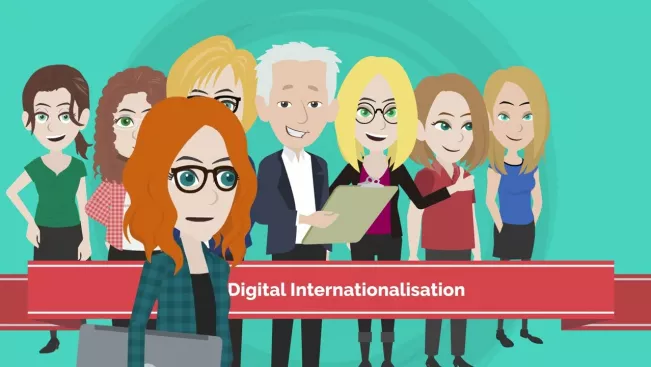
The digital internationalisation (DI) website serves as a platform for faculty, giving them access to best practice examples and tips, information on funding opportunities for digital international projects and contact points for further questions and advice.
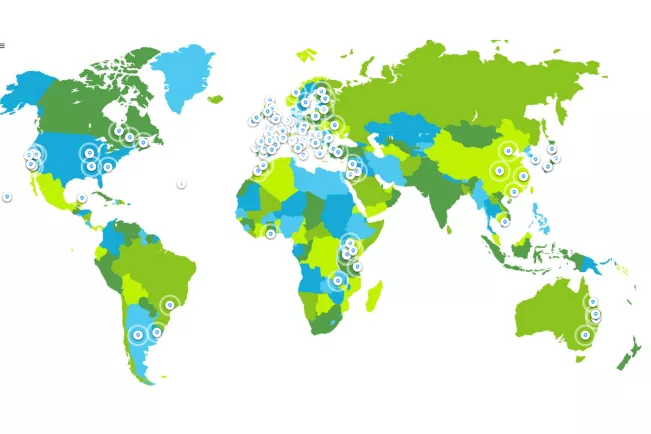
The interactive world map "digital internationalisation" provides an overview of the projects and activities of Bonn-Rhein-Sieg University of Applied Sciences in cooperation with its partner universities. Detailed information on specific partner projects and activities can be found via the link to the world map.
Best Practice Examples
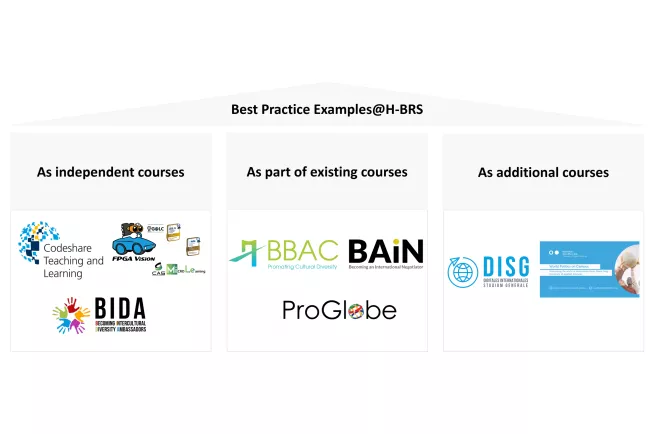
Bonn-Rhein-Sieg University of Applied Sciences is characterized by a large number of successful projects that are carried out in cooperation with international partner universities. These projects promote the practical application of teaching content.
Find out more about our projects:
Best practice examples as independent courses
Best practice examples as part of existing courses
Best practice examples as additional courses




Tips for digital international projects
Our collection of tried and tested tips is designed to support you in the successful design and implementation of digital international projects.
Cultural and geographical differences
Time zones:
- Plan meetings taking into account all the time zones involved. The use of tools such as the "Time Zone Converter" can help.
- Take into account the local working hours of the participants.
Public holidays and academic times:
- Create a shared calendar that includes all relevant holidays and academic times to avoid scheduling conflicts. Allow for sufficient buffer times.
Cultural sensitivity and contextual understanding:
- Encourage the development of intercultural skills through targeted training.
- Find out about the local history, social norms and cultural characteristics that may influence your project.
- Discuss with your partner universities about corporate cultures and decision-making processes, which can vary greatly from country to country (e.g. curriculum development, accreditation requirements, ethics and research).
- Encourage all project participants to bring in different perspectives in order to promote the decolonization of teaching and thus create an inclusive learning environment.
- Allow sufficient time in collaborative curriculum design to consider diversity and gender equity.
Language barriers and use of tools:
- Use clear and simple language; avoid abbreviations and regional colloquialisms.
- Ensure that all materials provided are digitally available in the defined project languages.
- If English is used as the working language, it is recommended to train project participants in "English as a Lingua Franca", especially in techniques of computer-assisted communication among non-native speakers.
- Encourage students to use a multimodal approach to communication and interaction, such as text chat and real-time translation services, to ensure understanding between all participants.
Didactic methods
Interactive learning:
- Encourage active participation through surveys, quizzes and discussion forums.
- Encourage group discussions and peer feedback.
- Use case studies and practical hands-on exercises to make theoretical content tangible and understandable.
Feedback loops:
- Plan regular feedback rounds with students and all project participants.
- In addition, use anonymous evaluation tools to facilitate detailed feedback. Evaluation systems such as evasys are available at the university for this purpose.
Group work:
- Interdisciplinary and multicultural projects can be realized well through virtual collaboration.
- Pay attention to diversity in working groups and provide clear guidelines for international collaboration (e.g. student guidelines). The guidelines can be available in various formats such as audio, video and digital documents.
- Encourage peer feedback and a culture of reflection.
Technical equipment
Stable internet connection and access to tools:
- Consider that in some countries a stable internet connection is not possible, which is why alternative access options such as mobile devices are used.
- In countries such as Ghana, for example, unannounced power cuts can occur during the day, which can significantly affect communication, e.g. e-mail traffic and video conferencing. Communication via mobile devices is in many cases the most reliable alternative. When designing the curriculum, it is recommended that the infrastructure of the respective project countries is sufficiently analyzed and taken into account with appropriate measures.
- Find out about the tools available for students in the respective project countries during project planning.
Data protection and other international regulations:
- Choose platforms that comply with the H-BRS data protection regulations. Inform students about their data protection rights and the use of their data.
- Consider the various ethical and data protection regulations in the project countries. Example: In one of our best practice examples, a Canadian university had to obtain the approval of its ethics board and implement the H-BRS data protection regulations before starting the project.
- The LEA learning platform supports international cooperation with partner universities. The e-learning team provides guest access for students and faculty from partner universities. The use of the LEA learning platform ensures compliance with the H-BRS data protection regulations.
Accessibility:
- Ensure that all materials are accessible, including subtitles for videos.
Funding opportunities
Are you planning to expand your digital international projects and need financial support? Or are you looking for the right contacts who can help you? Here you will find information on funding opportunities in the field of digital internationalisation.
- Funding for mobility projects: Contact International Office
- Funding for research initiatives: Contact Centre for Science and Technology Transfer (ZWT)
- Funding for student and research assistants: Contact VP3 / Center for Teaching Development and Innovation (ZIEL)


Flyer DI consultants
to download